Whether you're starting World of Warcraft: Forever for the first time or returning to Azeroth after playing WoW Classic, it's worth understanding the basic settings and gameplay rules before creating your character.
This guide covers how to choose your experience preset, select a Ruleset, pick your faction and class, and adjust graphics and control settings. You'll also learn the basics of questing, combat, equipment, and character progression.
How to Start WoW Forever
Getting started in WoW Forever is simple once you understand the main choices:
- Choose an Experience Preset: Select Classic for a traditional experience or Enhanced for more modern conveniences.
- Pick a Ruleset: Choose Normal, PvP, Roleplay, or Roleplay-PvP based on your preferred playstyle.
- Select Your Faction: Choose Alliance or Horde.
- Create Your Character: Pick an available race and class combination.
- Adjust Your Settings: Customize graphics, controls, and keybindings to suit your preferences.
- Start Questing: Accept quests, defeat enemies, collect rewards, and learn new skills from your class trainer.
New players: Enhanced and Normal are good starting choices if you prefer a more convenient experience focused on exploration and PvE.
Classic vs. Enhanced: Which Experience Preset Should You Choose?
When creating your game experience, you'll see two options: Classic and Enhanced. They mainly affect the game's visual appearance, interface layout, and certain convenience features rather than your character's abilities or progression.
| Feature | Classic | Enhanced |
|---|---|---|
| Character Models | Standard Definition | High Definition |
| Quest Guidance | Off by default | On by default |
| One-Bag View | Off | On |
| Transmog | Off | On |
| Default Keyboard Movement Bindings | Camera Turning | Strafe |
| UI Layout | Classic Layout | Centralized Layout |
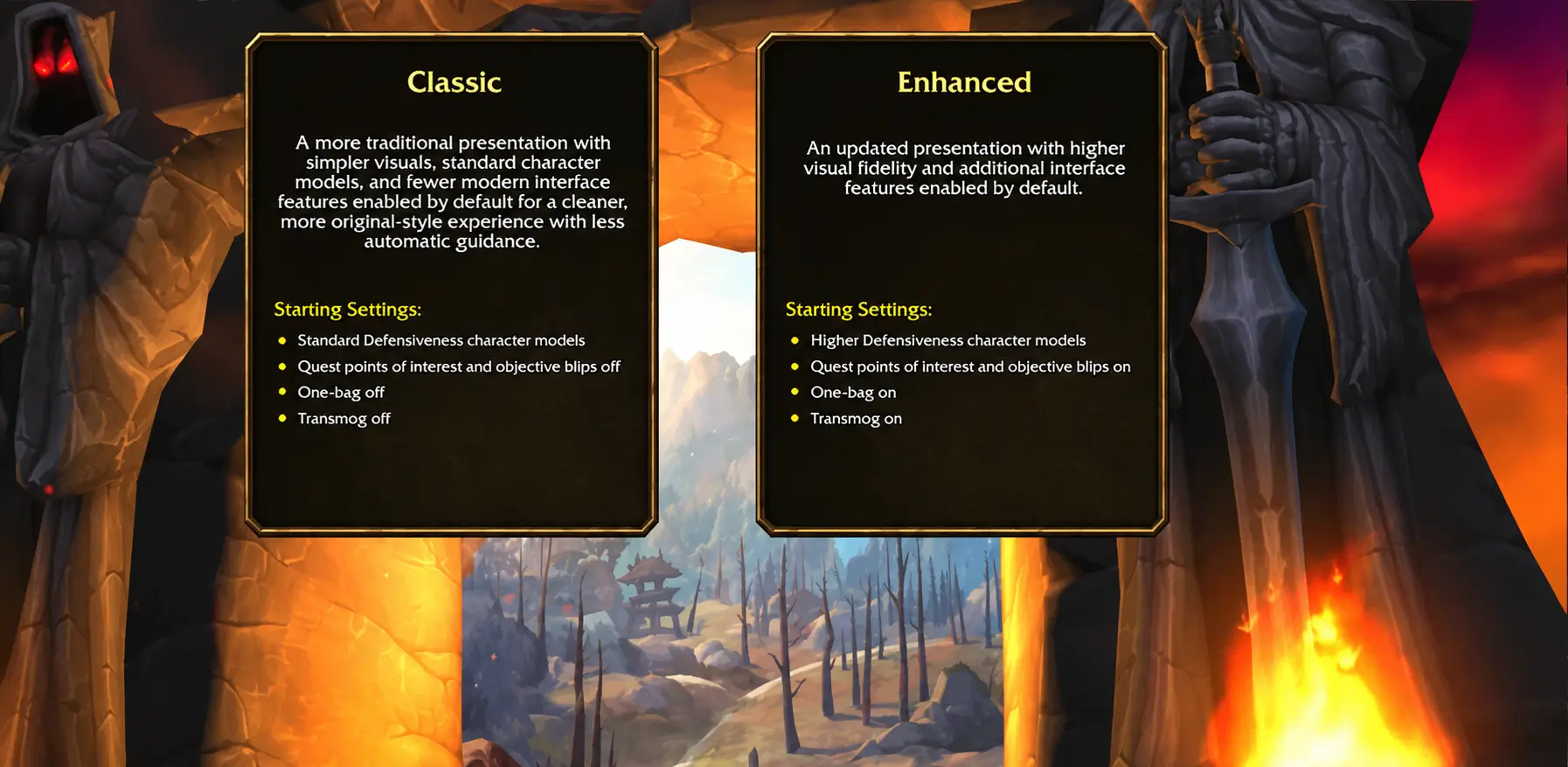
Classic offers a more traditional WoW experience, with its familiar visual style and interface. If you've played earlier versions and enjoy the original look and feel, this may be the right choice for you.
Enhanced provides more modern conveniences, including higher-detail character models, quest guidance, and a centralized interface. It's generally easier to get started with if you're new to WoW.
If you're unsure which one to choose, you can start with Enhanced. You can still adjust individual settings later under Game Menu → Options.
What Are the Differences Between the Four WoW Forever Rulesets?
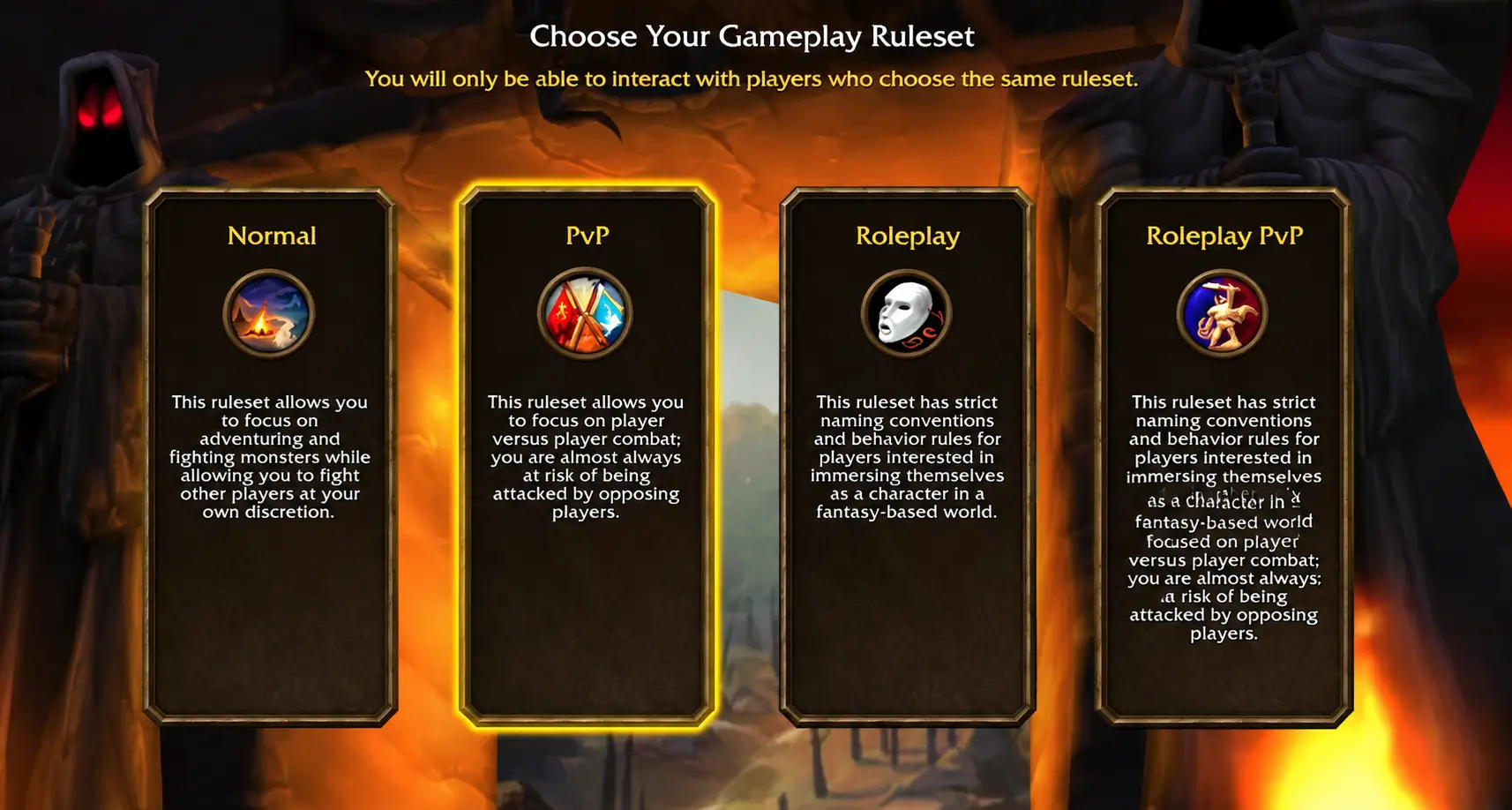
WoW Forever offers four Gameplay Rulesets that affect how players interact with each other. It's worth understanding their differences before creating a character.
| Ruleset | Main Features | Best For |
|---|---|---|
| Normal | Focuses on PvE and world exploration, with optional PvP participation | Beginners and casual players |
| PvP | Opposing-faction players can attack you throughout much of the open world | Players who enjoy PvP |
| Roleplay | Additional character naming and behavior rules | Roleplay players |
| Roleplay-PvP | Combines roleplay rules with open-world PvP | Players who enjoy both |
Normal: For Players Who Prefer Exploring at Their Own Pace
Normal is the PvE-focused option. If you want a more relaxed experience where you can complete quests, explore the world, and fight monsters without being automatically drawn into open-world PvP, choose Normal.
It lets you progress at your own pace, making it a suitable choice for players experiencing WoW for the first time.
PvP: For Players Who Enjoy Fighting Other Players
The PvP Ruleset allows opposing-faction players to attack you throughout much of the open world. If you enjoy the possibility of unexpected battles while exploring, this mode offers a more challenging experience.
New players may not encounter many threats during the early levels. However, around levels 15–20, you may start entering areas where PvP is enabled. You could encounter enemy players who are around 40 levels higher than you. These are examples of possible encounters, not fixed PvP activation requirements.
Roleplay and Roleplay-PvP: For Players Who Enjoy Roleplaying
Both modes have additional rules for character names and in-game behavior. Roleplay offers a more immersive gaming environment, while Roleplay-PvP combines roleplaying rules with open-world PvP.
There are also a few important restrictions to keep in mind when choosing a Ruleset:
- Grouping, joining guilds, running dungeons, and raiding require players to share the same Ruleset and faction.
- Alliance and Horde players cannot normally group together.
- On the PvP Ruleset, choosing one faction prevents you from creating characters for the opposing faction within that same Ruleset.
- Normal and Roleplay allow players to create characters from both factions.
If you're new to WoW, Normal is a good starting choice. Once you're familiar with the game, you can try other Rulesets based on your interests.
How to Choose Your Faction, Race, and Class
When you enter the character creation screen, you'll need to choose between Alliance and Horde before selecting your race and class.
Alliance and Horde are the two main factions in WoW. Each race has its own appearance and racial abilities, and not every race can choose every class.
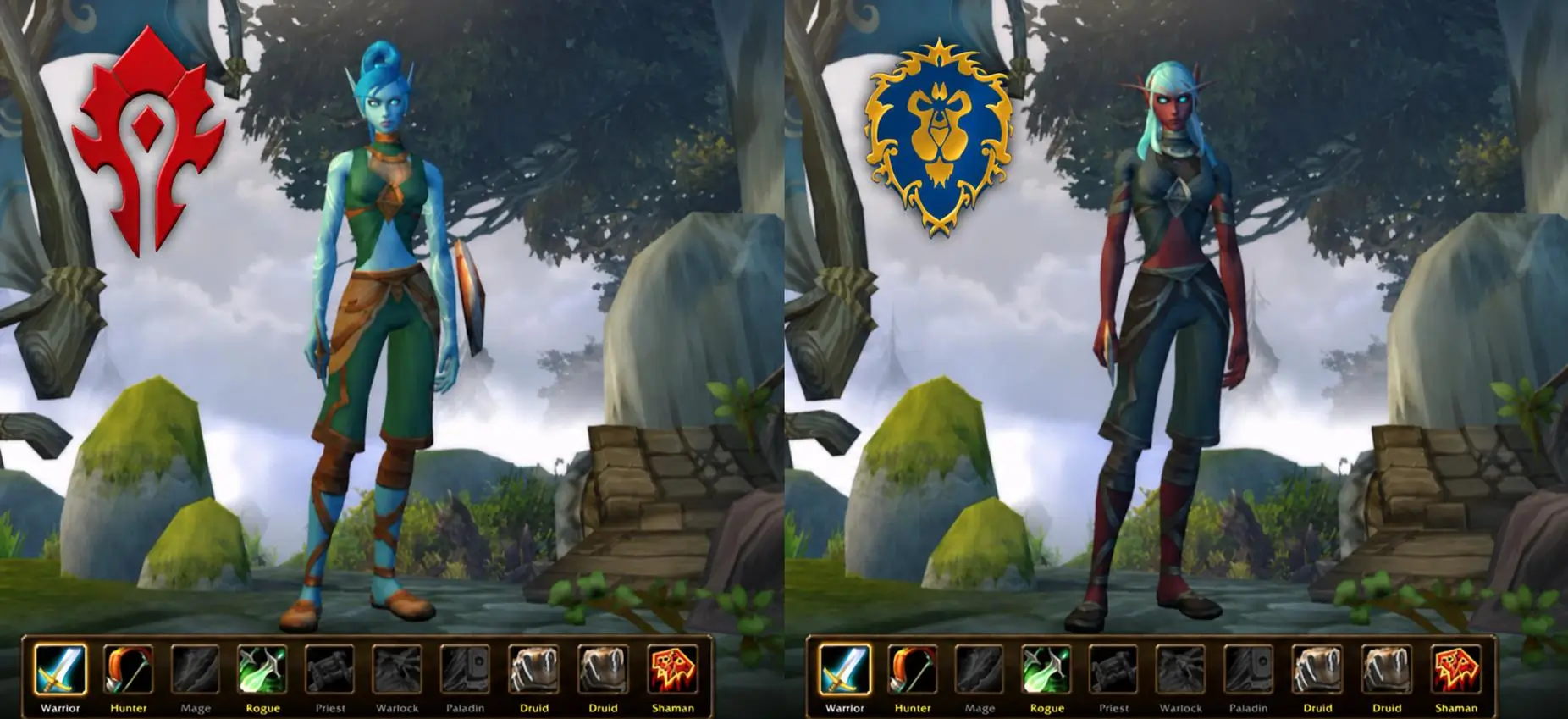
If you're planning to play with friends, it's best to agree on a faction beforehand. This helps avoid creating characters that can't normally group together.
WoW Forever features nine classes:
- Druid
- Hunter
- Mage
- Paladin
- Priest
- Rogue
- Shaman
- Warlock
- Warrior
Compared with traditional Classic, WoW Forever also introduces six additional race and class combinations:
| Faction | New Race and Class Combinations |
|---|---|
| Alliance | Human Hunter |
| Alliance | Dwarf Shaman |
| Alliance | Gnome Priest |
| Horde | Orc Mage |
| Horde | Troll Warlock |
| Horde | Undead Paladin |
The game also introduces a new playable race called Skyborne. You can choose either Alliance or Horde, and your faction determines which classes are available.
| Faction | Available Classes |
|---|---|
| Alliance | Druid, Hunter, Mage, Rogue, Warrior |
| Horde | Druid, Hunter, Rogue, Shaman, Warrior |
Skyborne characters begin their journey on Zephras Isle, a level 1–12 starting zone. Unlocking this race requires the Skyborne Heroic Pack or a higher digital upgrade.
When creating your character, don't focus only on which class is the strongest. Think about whether you prefer melee or ranged combat, and whether you enjoy exploring on your own or playing with others.
You should prioritize choosing a character you genuinely like rather than simply following other players' recommendations. Playing a character you enjoy can make the overall experience more rewarding.
If you're still unsure which class to choose, check out our WoW Forever Class Tier List to learn more about class performance in leveling, PvE, and PvP.
WoW Forever Graphics Settings: How to Adjust Your Display
Once you're in the game, press Escape to open the Game Menu, then select Options → Graphics to adjust your display settings.
You don't need to change every option right away. Understanding a few commonly used settings is enough to get started.
| Setting | What It Does |
|---|---|
| Monitor | Selects your display |
| Display Mode | Changes between windowed and fullscreen modes |
| Resolution | Adjusts the game's display resolution |
| Render Scale | Adjusts the rendering resolution |
| UI Scale | Changes the size of interface elements |
| Vertical Sync | Controls vertical synchronization |
| Anti-Aliasing | Reduces jagged edges in graphics |
| Camera FOV | Adjusts the camera's field of view |
| Shadow Quality | Changes shadow detail |
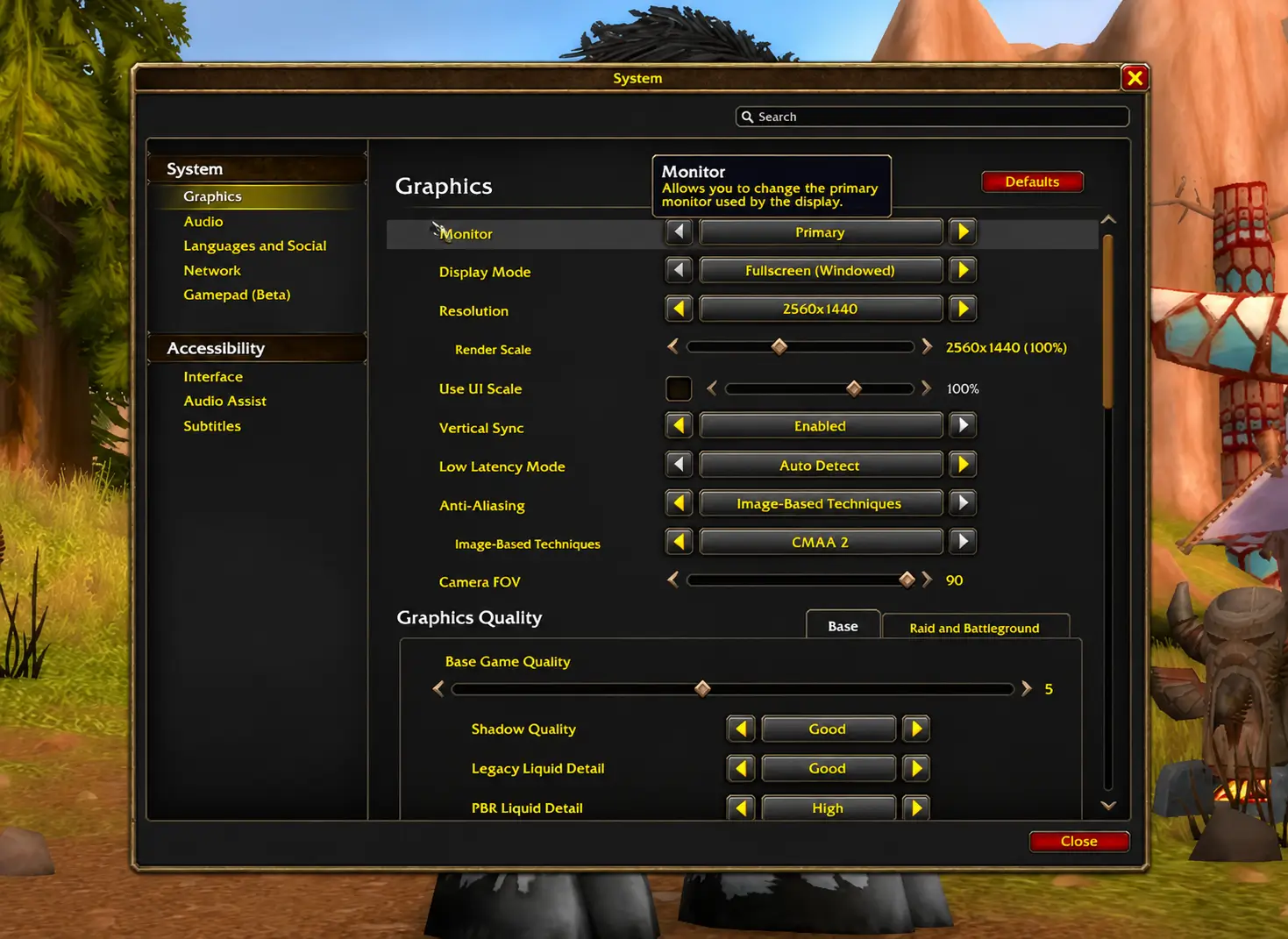
If the interface text looks too small, try adjusting UI Scale. If the game doesn't run smoothly, you can consider lowering Shadow Quality or adjusting Render Scale.
Controls and Keybindings: Essential Settings for Beginners
Besides graphics, control settings also affect your everyday gameplay experience.
You can access these options through the Controls settings in the Game Menu.
| Setting | What It Does |
|---|---|
| Sticky Targeting | Controls how target selection works |
| Auto Loot | Automatically collects eligible loot |
| Auto Loot Key | Sets the shortcut key for automatic looting |
| Interact With Target | Allows you to interact with your current target |
| Mouse Look Speed | Adjusts camera movement speed |
| Mouse Sensitivity | Changes mouse sensitivity |
| Click-to-Move | Allows you to move your character by clicking a location |
If you frequently collect items dropped by enemies, enabling Auto Loot can reduce repetitive clicking.
It's also worth getting familiar with Action Bars and Key Bindings. You can drag abilities from your Spellbook onto an Action Bar and assign convenient keys to frequently used skills. This makes abilities easier to access during combat.
You don't need to memorize every shortcut at once. Start with movement, target selection, ability use, and looting, then adjust your controls as you become more comfortable with the game.
Take Your First Steps: Quests, Maps, and Basic Exploration
Once your character enters the world, start by learning how to accept quests, navigate the map, and manage your supplies.
| Feature | How to Use It |
|---|---|
| Quest Givers | Look for NPCs with a yellow exclamation mark (!) to find available quests. |
| Quest Turn-ins | A yellow question mark (?) indicates that a quest is ready to turn in. |
| Quest Log (L) | Check quest descriptions, objectives, and progress. |
| World Map (M) | View your location, quest markers, and objective areas. |
| Minimap | Find nearby locations and follow objective markers. |
| Bags (B) | Check your equipment, supplies, and quest rewards. |
| Hearthstone | Return to your bound home location. Speak to an Innkeeper to change your bind location. |
A few useful beginner tips:
- Check your quest objectives before leaving an area so you know what to collect or defeat.
- Pay attention to enemy levels when exploring unfamiliar locations.
- Keep food and water in your bags. Right-click them to restore health or mana when appropriate.
- Your Hearthstone has a one-hour cooldown, so use it thoughtfully when planning your travels.
- If your Quest Log becomes crowded, untrack quests you're not currently working on or abandon quests you no longer need.
Learn the Basics of Combat: Abilities, Equipment, and Survival
Understanding your abilities, equipment, and character resources will make early combat easier. The following table covers the main things new players should know.
| Feature | How to Use It |
|---|---|
| Health and Resources | Monitor your health and mana or other class resources during combat. |
| Action Bar | Keep frequently used abilities in accessible slots. |
| Spellbook (P) | Review learned spells and drag abilities onto your Action Bar. |
| Character Panel (C) | Check your equipped weapons, armor, and character attributes. |
| Equipment | Right-click an eligible item in your bags to equip it. |
| Class Trainer | Visit your class trainer to learn new abilities and higher spell ranks as you level. |
| Key Bindings | Assign convenient keyboard shortcuts to frequently used abilities. |
Combat and Survival Tips
- Start by fighting one enemy at a time while learning your class abilities.
- Check whether new weapons and armor can be equipped by your class before using them.
- Training new abilities costs money, so keep some Gold available.
- Replace older spell ranks on your Action Bar when you learn upgraded versions.
- Use food and water to recover between fights.
What Happens When Your Character Dies?
If your character dies, you can release your spirit and appear at a nearby graveyard. Use the corpse marker on your minimap or World Map to find your body. Once you're close enough, select Resurrect to return to life.
Alternatively, you can speak with a Spirit Healer at the graveyard. However, this reduces your equipment's durability and may give you Resurrection Sickness, which temporarily reduces your combat effectiveness.
Whenever possible, recovering your own body is the better option. If you use a Spirit Healer, avoid combat until Resurrection Sickness expires and remember to repair your equipment.
Looking for WoW Forever Gold?
Gold is useful throughout your WoW Forever journey, from learning new abilities to purchasing equipment and supplies. If you want to save time on farming and focus more on questing, leveling, and exploring Azeroth, visit LOLGA and check out the available WoW Forever Gold options.
Whether you're just starting out or preparing for your next adventure, explore LOLGA for more gaming currency and item options.
WoW Forever Beginner FAQ
Is WoW Forever free to play?
WoW Forever requires an active World of Warcraft Subscription or Game Time to play. It isn't a completely free-to-play game.
Should beginners choose Classic or Enhanced?
If you're new to WoW, Enhanced is generally easier to get started with because it offers more modern interface features and conveniences. Players familiar with Classic can choose whichever experience they prefer.
What is the best Ruleset for new players?
Normal is a good option for beginners who want to focus on PvE and world exploration. However, the right choice depends on whether you enjoy open-world PvP or roleplaying.
Can Alliance and Horde players play together?
Alliance and Horde players cannot normally group together. Ruleset and faction restrictions also affect guild, group, and dungeon activities.
Can I change my graphics and controls settings later?
Yes. You can adjust Graphics, Controls, Keybindings, and other interface settings through Options. You don't need to decide on all your settings when creating your character.