























How to Buy Robux on LOLGA.COM
- Go to https://www.roblox.com/,Log into your roblox account
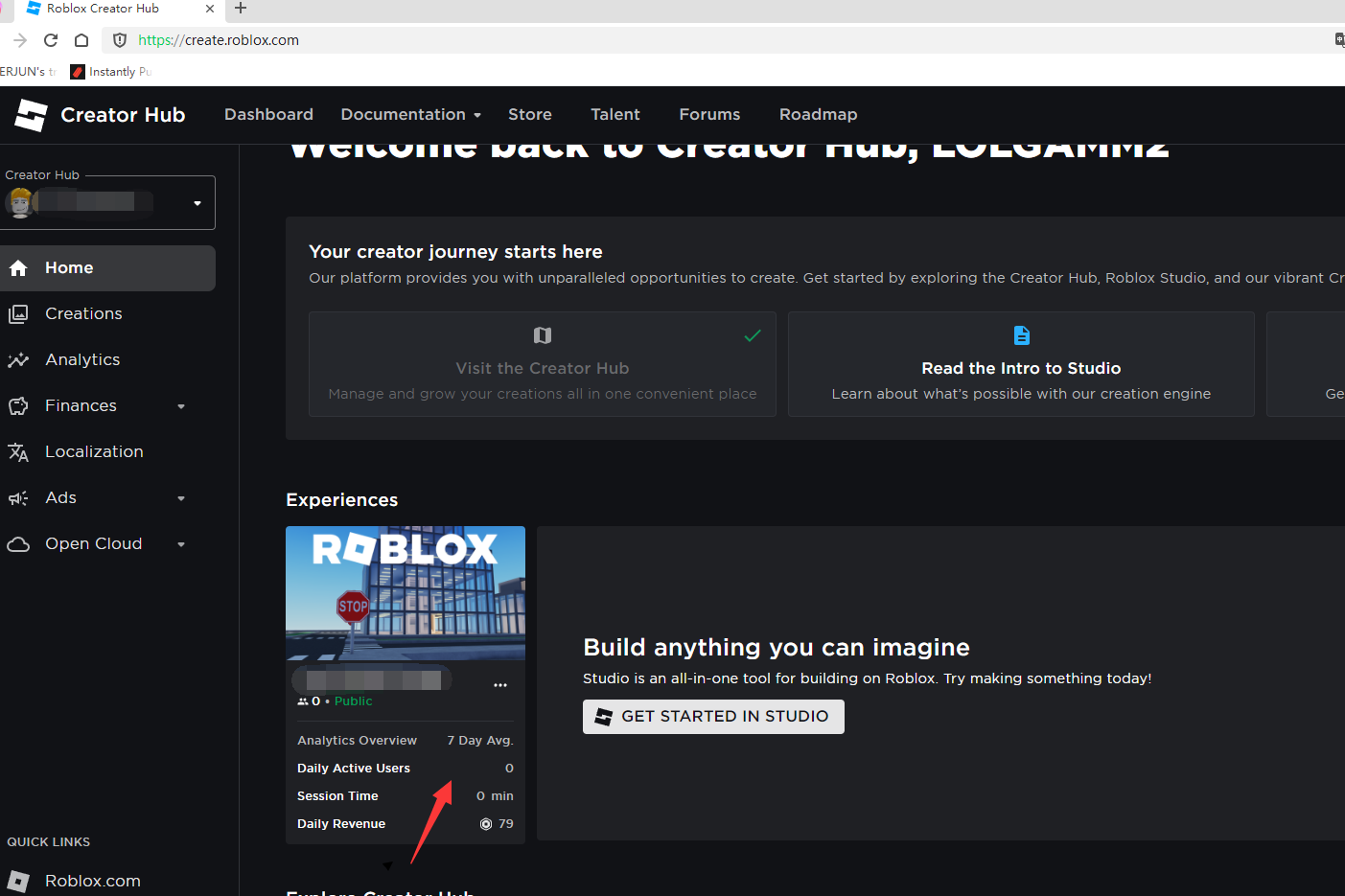
- Click Create,go to Creator Hub
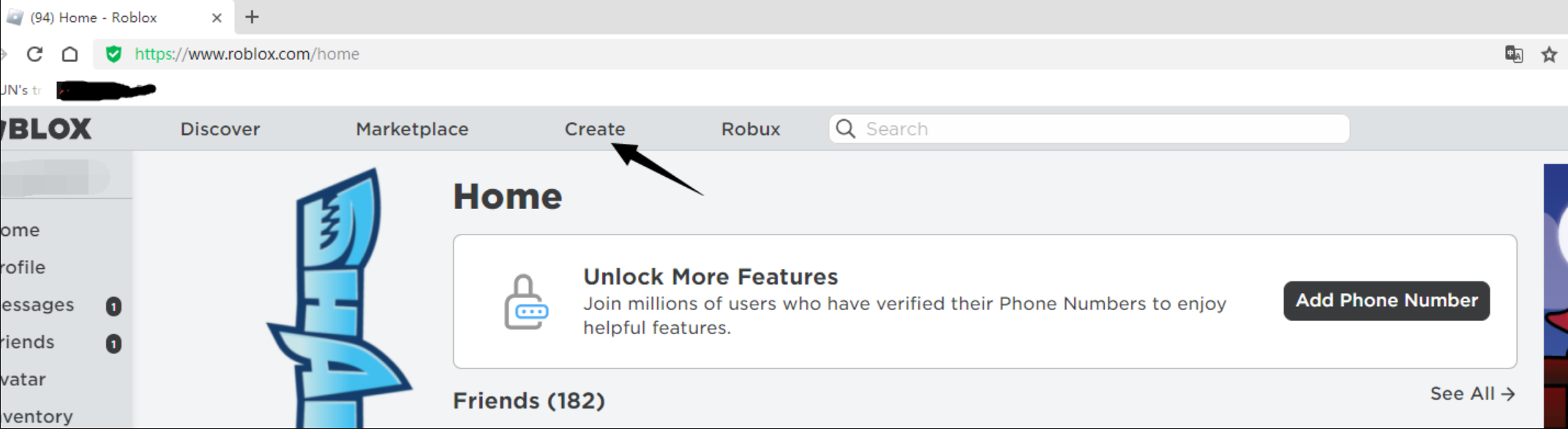
- Click on the picture shown
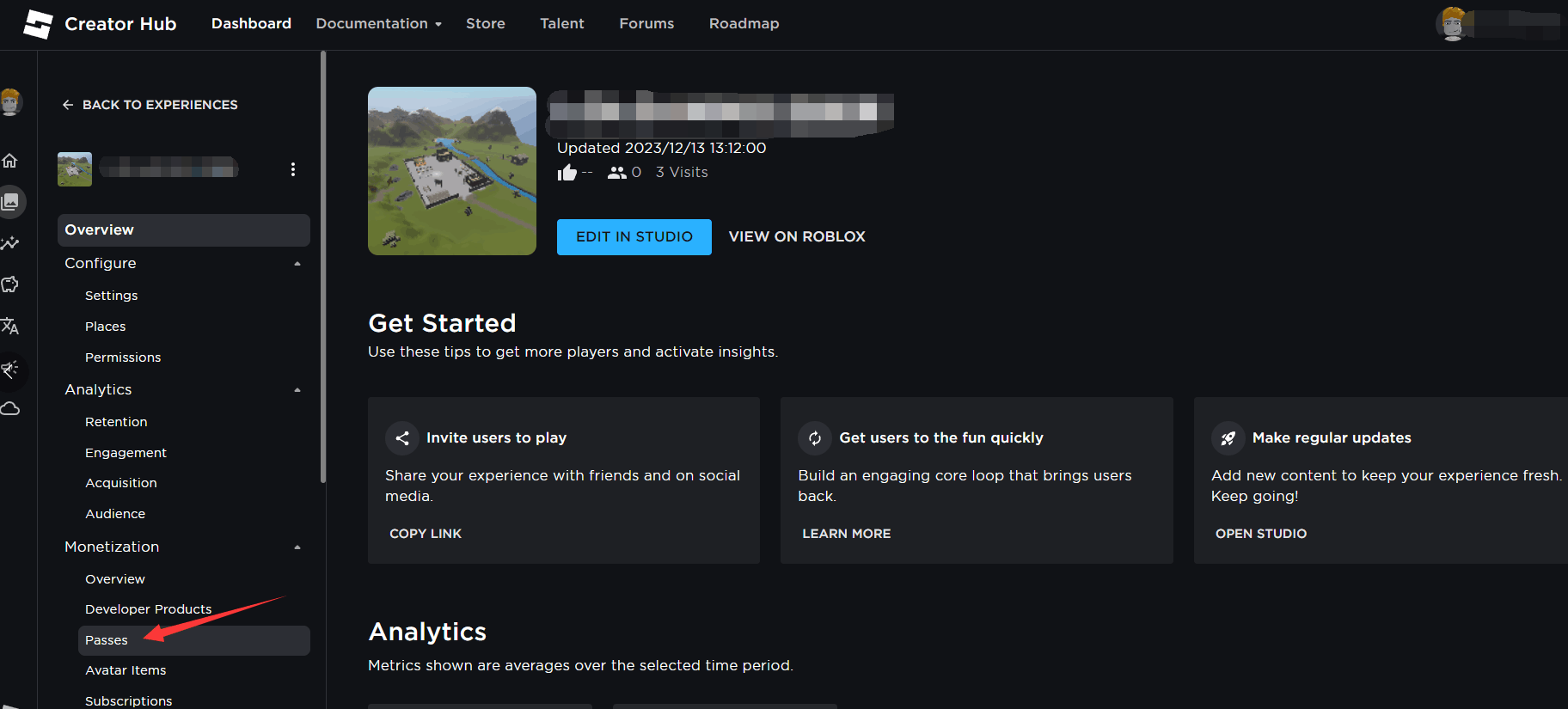
- Click Passes
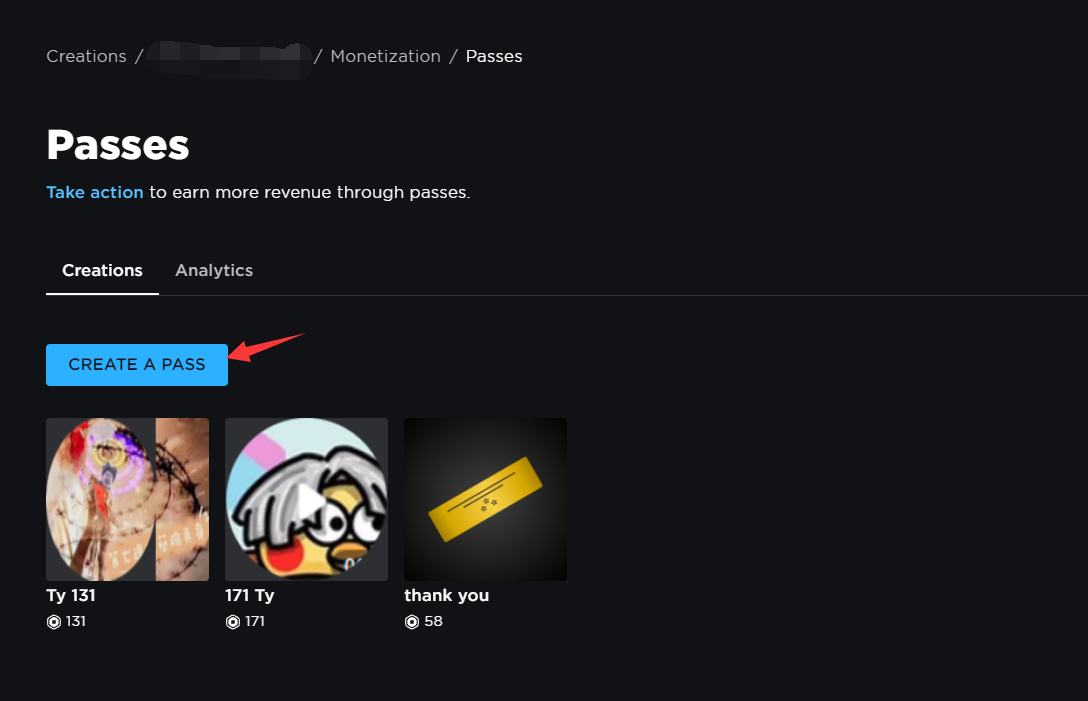
- Click Create Pass
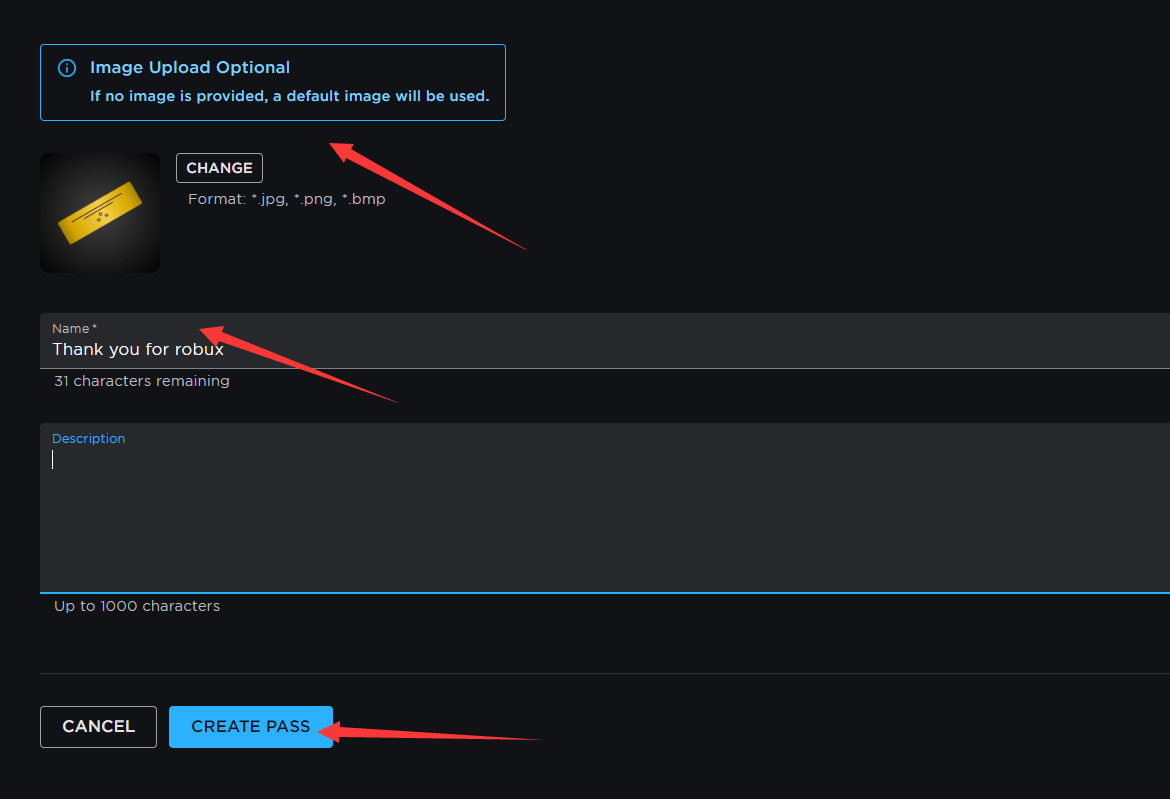
- Set any of your images and names,and Click Create Pass
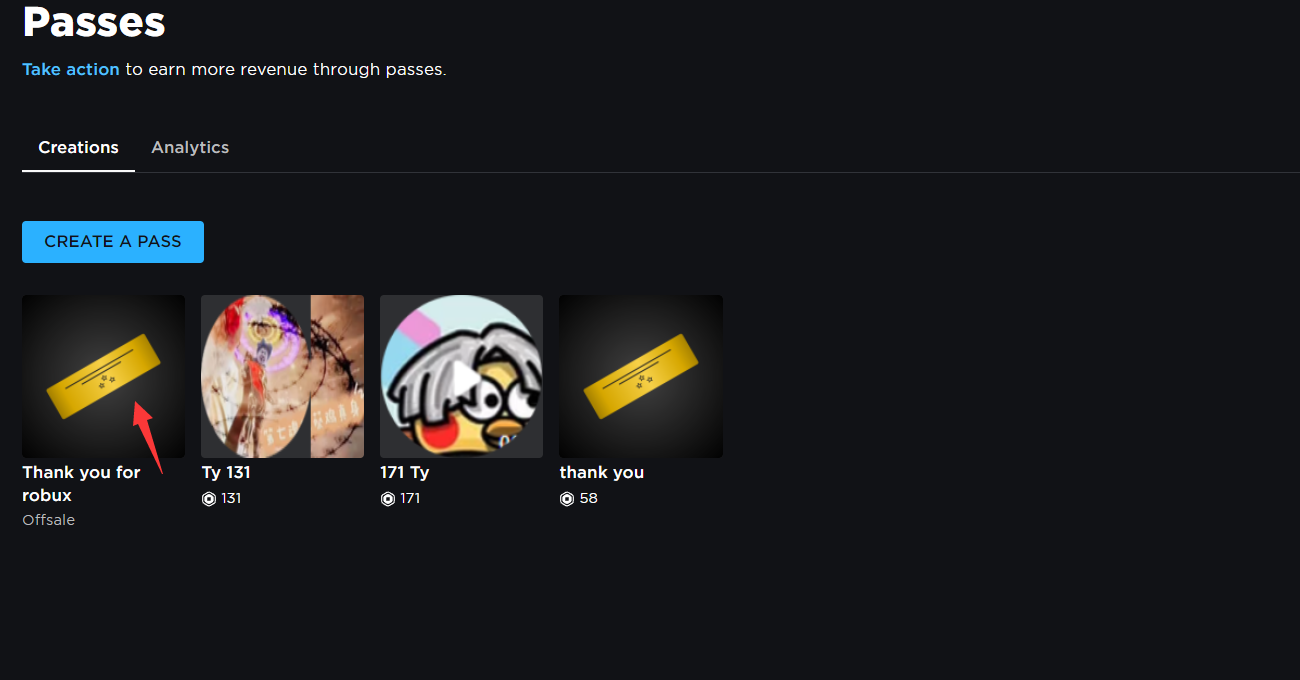
- Click on the pass you just created to access the pass details
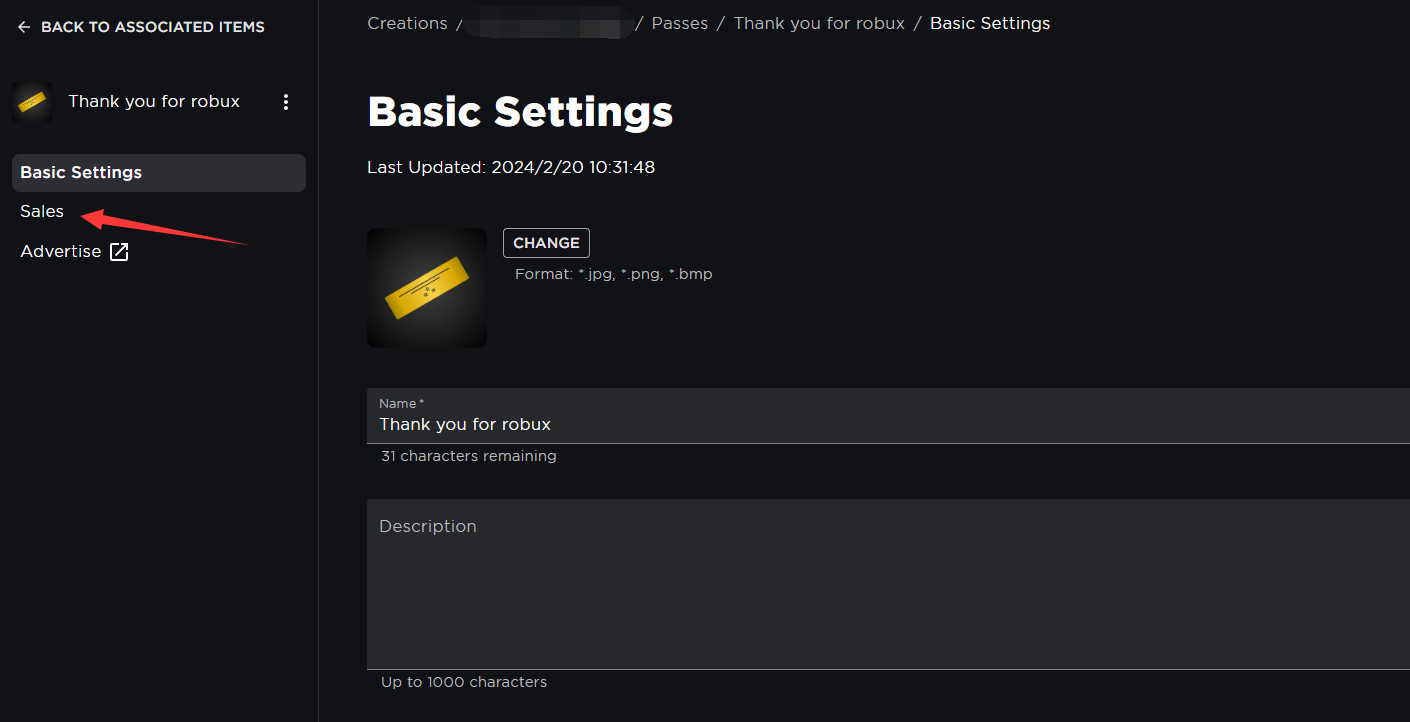
- Click Sales
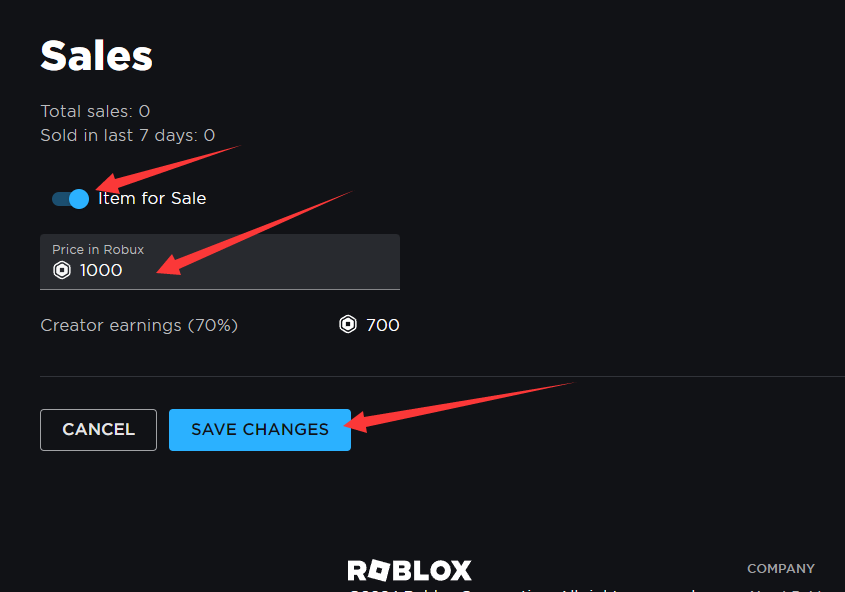
- Click "Item for Sale" and fill in the amount of Bux you purchased on lolga.com. (Blox will charge a 30% tax when we purchase the pass. We do not cover the tax.) Click "Save Changes" to buy the pass. You will receive the Bux.