
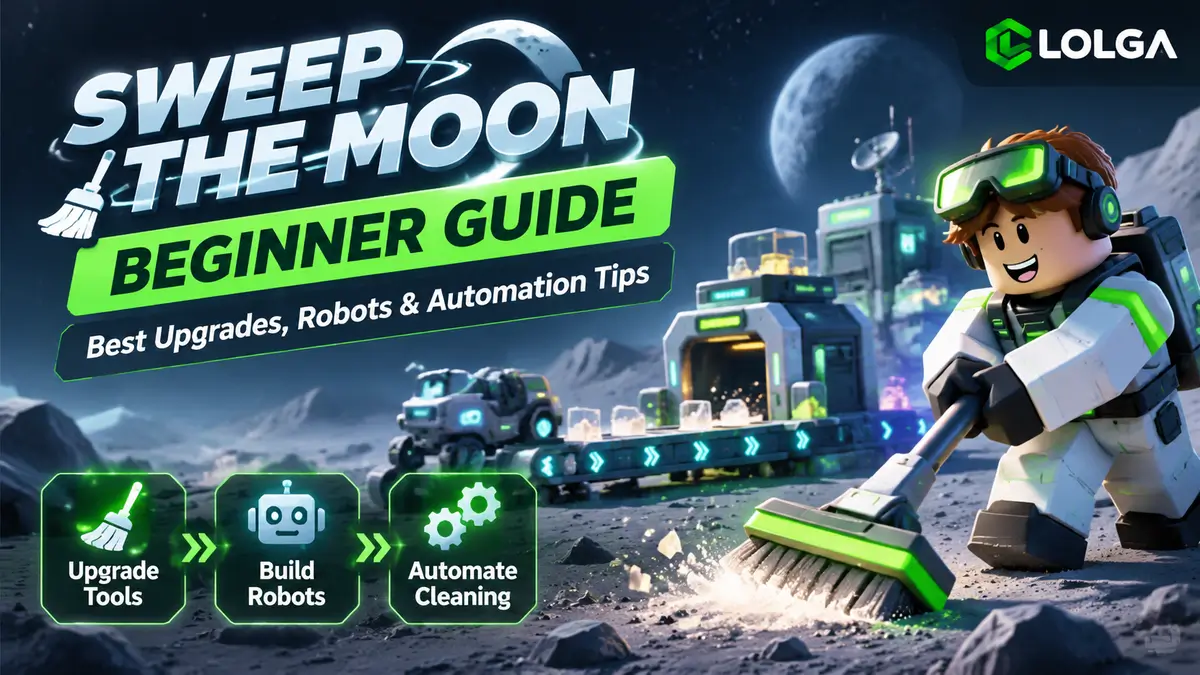
In Roblox's Sweep The Moon, your goal is to clean dust off the moon, sell it for Cash, upgrade your tools, and eventually automate the cleaning process with robots.
As a beginner, you don't need to rush into buying expensive equipment. It's better to improve your cleaning efficiency first, then work toward building your first automated setup. This guide covers the best early-game upgrades, money-making tips, robot automation, and how to earn Shards.
Quick Answer: Best Beginner Progression
01 · Start Cleaning
Use Your Toothbrush
Use your starting Toothbrush to collect dust, then take it to the Deposit area to sell it for your first Cash.
02 · Best Early Upgrades
Brush + Canister
Focus on upgrading your Brush and Canister capacity. Aim for the Dustpan Brush and a 6KG Canister before investing in robots.
03 · Start Automation
Build Your First Robot
Clear a tile to make room for a Robot Dock, then use Belts to connect the robot's Dust Out to your base's Belt In.
How to Start Playing Sweep The Moon
When you enter the game, you can create a new save or team up with other players. Sweep The Moon supports teams of up to four players, and each player can have up to three save slots. Your progress is saved, so you can pick up where you left off the next time you play.
You'll start with a Toothbrush. Hold down the left mouse button and move your cursor across the tiles to clean up dust. The dust you collect goes into your Canister. Once it's full, head back to the Deposit area at your base to sell the dust for Cash.
After earning enough Cash, you can buy better cleaning tools from the Tool Shop or visit the Upgrade Computer to improve your abilities.
How to Make Money Fast in Sweep The Moon
Early on, how quickly you earn Cash depends on how fast you can clean and how much time you spend traveling back to your base.
Start with tiles near the Deposit area and try to finish one tile at a time instead of cleaning random patches of dust. Fully clearing a tile rewards you with extra Cash and Shards.
When cleaning manually, hold down the left mouse button and move your cursor quickly to cover more ground.
Manual cleaning is a good way to earn your starting Cash, but you'll eventually want to switch to robots to make faster progress.
Best Early-Game Upgrades in Sweep The Moon
Early on, focus on upgrading your Brush to clean faster and increasing your Canister capacity to carry more dust between trips to the base.
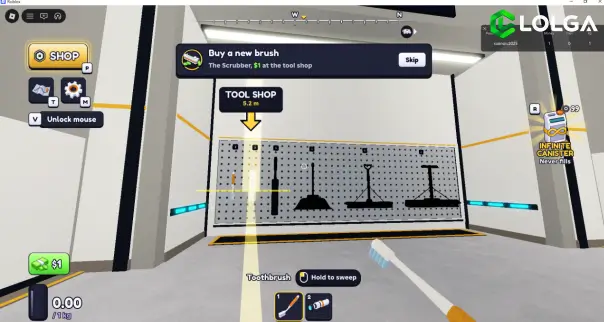
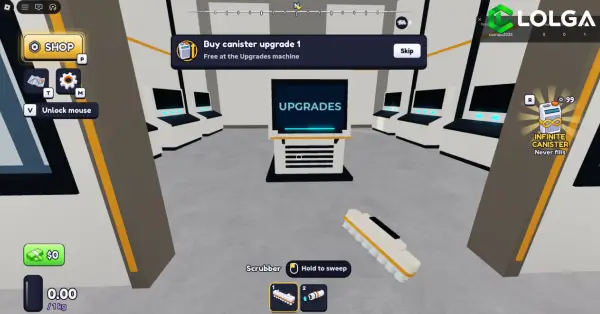
For beginners, I recommend working toward the Dustpan Brush and upgrading your Canister to 6KG. This setup is enough to handle early-game cleaning and earn Cash without spending too much on higher-tier manual tools.
Recommended Early-Game Upgrade Path
If your Canister keeps filling up too quickly, upgrade its capacity first. If clearing a single tile takes too long, prioritize a better Brush instead.
The Upgrade Computer also offers upgrades such as movement speed and Cash earnings. You can purchase these as needed, but once your basic cleaning setup is good enough, it's worth saving your Cash for automation equipment.
How to Build Robots and Automate Cleaning
Once you're ready to move beyond manual cleaning, here's how to set up your first robot and connect it to your base.
Step 1: Buy and Place Your First Robot
First, manually clean at least one full tile. Robot bases must be placed on clean ground, so you'll need an empty spot before you can build one.
Press 2 to enter Build Mode, then press B to open the building menu. You'll find several options, including Robot Dock, Large Robot Dock, Mite Hive, and Ranger Drone Station. These machines differ in cleaning range, speed, and cost.
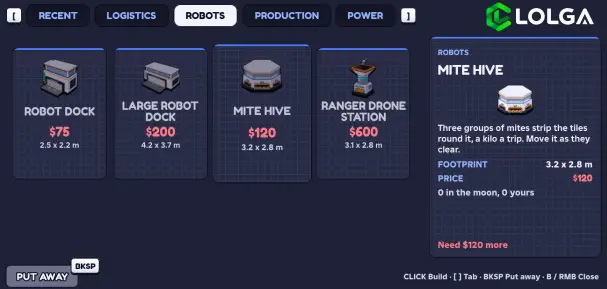
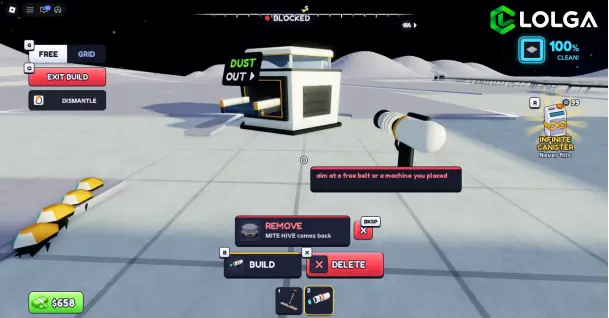
There's no need to buy the most expensive robot right away. Choose one you can afford and focus on getting your first automated cleaning line running.
Step 2: Connect the Robot with Belts
After placing your robot, you'll need to connect it to your base using Belts.
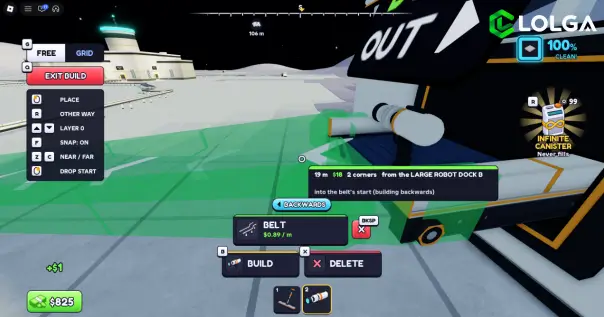
The correct connection is:
Robot Dust Out → Belt → Base Belt In
Dust Out is where the robot sends out collected dust, while Belt In is the input at your base. Once connected, the robot can transport dust back to your base through the Belt system, allowing it to clean and sell dust automatically.
If your robot isn't working, check that its base is placed on a clean tile and that the Belt is properly connected to both ports.
Step 3: Improve Your Automation Layout
As the dust near your base gets cleared, your robots will need to reach areas farther away. This can make your original setup less efficient.
When that happens, try repositioning your robots or extending and rearranging your Belts to bring your automated setup closer to the remaining dirty tiles.
Instead of constantly buying more robots, adjusting your existing machines and Belt routes can help reduce unnecessary travel and improve cleaning efficiency.
How to Get Shards and Choose Classes
Shards are another important currency in Sweep The Moon. You can earn them by fully cleaning tiles, so it's better to focus on completing entire areas rather than simply collecting as much dust as possible.
Once you have some Shards, head to the Lobby Shop to purchase permanent stat boosts or use them to roll for Classes.
For beginners, it's worth prioritizing upgrades that improve your everyday cleaning efficiency before spending too many Shards trying to unlock rare Classes.
Moon Marshal is one of the rare Classes worth looking out for. According to the gameplay guide, Moon Marshal provides all Class bonuses along with an additional Crew Aura. Chief Engineer is another Class recommended in community guides.
However, getting rare Classes comes down to luck. It's better not to spend all your Shards on Class rolls while ignoring permanent upgrades that provide more reliable benefits.
Vehicles and Late-Game Tips
Once you've built a steady source of automated income, you can start investing in cleaning vehicles.
Vehicles let you clean dust while driving, making them useful for reaching areas your robots haven't covered. As you earn more Cash, you can upgrade to better vehicles, such as the Rover, to clean larger areas more efficiently.
Press T to check your current moon-cleaning progress and find areas that still need attention. You can then decide whether to adjust your robot routes or use a vehicle to finish cleaning those spots.
Later in the game, the goal isn't just to keep upgrading your Brush. It's to combine robots, Belts, and vehicles to gradually clean the entire moon.
More Roblox Guides & Items
Explore more Roblox guides and browse available in-game items for other popular Roblox games at LOLGA.
FAQ
Q1. Does Sweep The Moon save your progress?
Yes. Sweep The Moon saves your cleaning progress, so you can load an existing save and continue playing after leaving the game.
Q2. How do you enter Build Mode in Sweep The Moon?
Press 2 to enter Build Mode and B to select building equipment. You can also press G to switch between Free Build and Grid Build.
Q3. Why isn't my robot working?
First, make sure the robot base is placed on clean ground. Then check whether its Dust Out is properly connected to your base's Belt In using Belts.
Q4. How do you get Shards fast in Sweep The Moon?
Focus on fully cleaning tiles to earn Shard rewards, and use permanent upgrades from the Lobby Shop to improve your cleaning efficiency over time.