
Kirin Product Details
- Game
- Grow a Garden
- Item
- Kirin
- Category
- Pets
- Rarity
- Divine
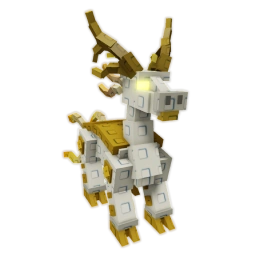
Grow a Garden · Items
Grow a Garden Kirin
$2.99
QTY
Available for purchase
Delivery Note: Enter the correct Roblox account during checkout and follow the order instructions shown after payment.
Review Kirin in Grow a Garden and confirm the available option and current price before you place it in the cart.
Choose how many Kirin items you need and add the selected product to your cart. The total below follows the active selection.
At checkout, confirm your Grow a Garden Kirin selection and provide only the delivery details requested with your order. Review the final charges before payment.
After purchasing Kirin for Grow a Garden, follow your order's digital delivery instructions. There is no physical shipping. Most eligible item orders are typically completed in about 5–15 minutes, but timing can vary.
Want to buy Kirin in Grow a Garden? This page shows the product information and available purchasing options for Kirin. Review the selection above before adding it to your cart.
Review the listed price and quantity of Kirin before placing the order.
The current price for the selected Kirin option is displayed above. Your final order total will be confirmed at checkout.
Once you purchase Kirin for Grow a Garden, follow the delivery details provided with your order. Instructions and fulfillment timing depend on the order.
Check the current price of Kirin in Grow a Garden above. If options are available, select one to see its price in your chosen currency. Review the final order total at checkout.
Yes. Adjust quantity before adding the item to your cart. The selected option and quantity stay together.
Review Kirin in Grow a Garden above, select an available option if applicable, and add it to your cart. Complete checkout and follow the order instructions.
No physical shipping is required for Kirin in Grow a Garden. Most eligible digital-item orders are typically completed in about 5–15 minutes, although availability, verification or order conditions can take longer. Follow the instructions in your order status.
Use LOLGA's official checkout to order Kirin and follow your order instructions. Never share your account password or verification codes. Review the game's rules and store policies before buying.
Check your order status and delivery instructions. If Kirin has not arrived or you encounter an issue, contact LOLGA support with your order number.